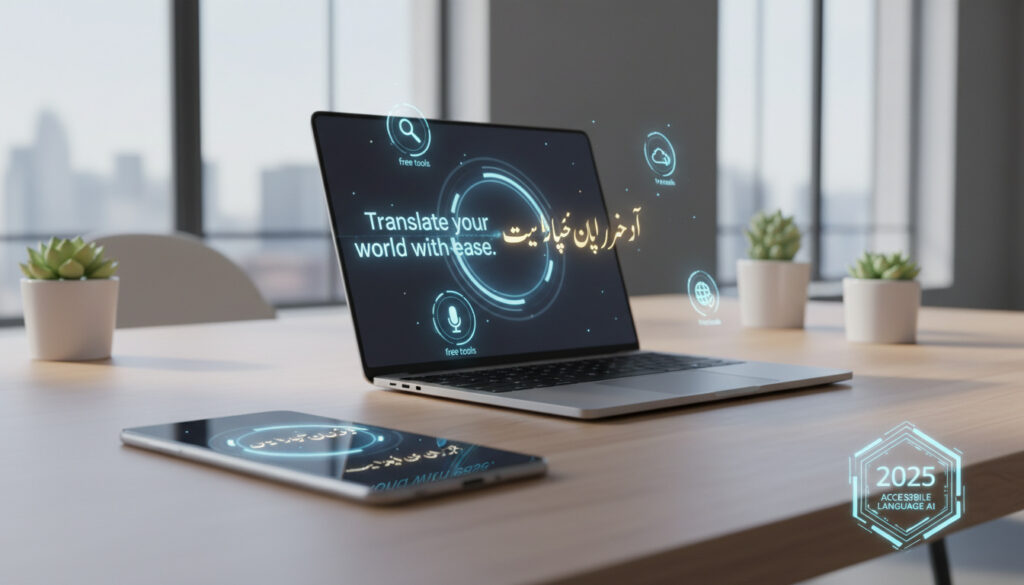
Translation English to Urdu – Best Free Tools and Apps 2025
Translating between English and Urdu presents unique computational challenges due to the shift from Latin script to right-to-left Nastaliq calligraphy and the linguistic nuances of South Asian dialects. Modern translation platforms now range from single-engine neural networks to sophisticated AI systems that simultaneously query Google, DeepL, and ChatGPT to determine the most culturally appropriate output.
Free online tools currently support instant translation of up to 5,000 characters without registration, while mobile applications offer offline functionality and voice recognition capabilities. However, accuracy varies significantly depending on whether the platform utilizes basic machine translation or advanced context-aware artificial intelligence.
Users seeking reliable English to Urdu conversion must consider script rendering quality, dialect handling, and whether the tool supports Roman Urdu transliteration alongside traditional Arabic script.
How to Translate English to Urdu Online for Free
Immersive Translate
QuillBot
Urdu-English Translator
Multi-engine comparison
Leading web-based platforms offer distinct advantages for specific use cases. QuillBot permits translation of up to 5,000 characters without advertisements, utilizing AI to ensure grammatically accurate output with proper accent marks. Immersive Translate operates as a multi-engine aggregator, comparing outputs from Google, DeepL, and ChatGPT to select the most contextually appropriate result.
Specialized alternatives include Wordvice AI, which targets academic and technical vocabulary precision, and Lingvanex, which provides instant translation without account creation. GetVoila AI offers unlimited free text translation, while Google Translate serves as the baseline option supporting over 100 languages.
Key Capabilities of Free Platforms
- AI-powered tools achieve superior accuracy for Urdu’s complex sentence structures compared to single-engine solutions
- Google Translate provides baseline functionality at approximately 85-90% accuracy for general text according to comparative analysis
- QuillBot processes substantial text blocks up to 5,000 characters without requiring user registration
- Multi-engine platforms reduce contextual errors by cross-referencing multiple AI models simultaneously
- Nastaliq script rendering requires specialized handling that basic transliteration tools often fail to provide
- Voice and image translation capabilities vary significantly between web platforms and dedicated mobile applications
- Roman Urdu transliteration support remains limited to specific mobile applications with voice recognition features
Comparative Tool Specifications
| Tool | Free Tier | Accuracy Level | Specialized Features |
|---|---|---|---|
| Immersive Translate | Unlimited | High | Multi-engine comparison (Google/DeepL/ChatGPT) |
| QuillBot | 5,000 characters | High | AI grammar optimization |
| Wordvice AI | Limited | High | Technical vocabulary support |
| Lingvanex | Unlimited | Medium | No registration required |
| GetVoila AI | Unlimited | Medium | Completely free text translation |
| Google Translate | Unlimited | 85-90% | 100+ language support |
What Are the Best English to Urdu Translator Apps
Mobile applications prioritize convenience and offline accessibility. The Urdu-English Translator available on Google Play supports text, voice, and image translation with full offline functionality, enabling users to detect and translate text from images without internet connectivity.
Alternative mobile solutions include English Urdu Translator, which focuses on bidirectional voice translation and copy-paste support, and Google Translate’s mobile application, which offers partial offline capabilities through downloadable language packs. Translate Now provides quick translation across 50 languages but requires active internet connectivity.
The Urdu-English Translator application maintains full offline capabilities for text, voice, and image translation. Web-based tools like QuillBot and Lingvanex require active internet connections but offer mobile-optimized browser interfaces.
Mobile vs. Web Platform Distinctions
Native applications generally outperform browser-based tools for voice recognition and image text detection. The Urdu-English Translator incorporates speech-to-text technology and dictionary functions, while Immersive Translate provides bilingual parallel viewing optimized for mobile screens.
Hardware integration varies by platform. Users seeking translation capabilities across wearable devices might also consider the Samsung Galaxy Watch Active – Specs, Battery and 2024 Review for compatible smartwatch features that support notification translation.
How Accurate is English to Urdu Machine Translation
Accuracy metrics reveal significant performance gaps between baseline and AI-enhanced platforms. According to comparative testing, Google Translate achieves 85-90% accuracy for Urdu, sufficient for general comprehension but insufficient for professional or culturally sensitive content.
Specialized AI tools claim superior precision through context-aware processing. Immersive Translate and Wordvice AI utilize advanced neural networks specifically optimized for Urdu script and grammatical structures, reducing errors in complex sentence constructions.
Comparative analysis indicates Google Translate achieves 85-90% accuracy for Urdu text. Multi-engine AI platforms like Immersive Translate demonstrate higher precision rates by cross-referencing outputs across Google, DeepL, and ChatGPT to select contextually appropriate translations.
Limitations in Current Technology
Machine translation systems consistently struggle with non-literal content. Idiomatic expressions, regional dialect variations, and cultural subtext frequently produce literal translations that miss intended meanings. Single-engine solutions particularly falter with formal versus informal register distinctions.
Machine translation systems exhibit particular difficulty with Urdu idioms, regional dialects, and cultural nuances. Single-engine platforms often generate literal translations that fail to capture contextual subtleties or appropriate formality levels.
How to Handle Roman Urdu and Complex Script Requirements
Roman Urdu transliteration—writing Urdu using Latin characters—presents unique challenges for automated systems. Mobile applications like Urdu-English Translator support Roman Urdu implicitly through voice recognition and dictionary functions, while Immersive Translate aids verification through bilingual parallel viewing modes.
Nastaliq script rendering remains technically demanding. Immersive Translate specifically optimizes for perfect Nastaliq display, while QuillBot ensures structural accuracy in script conversion. Users requiring traditional calligraphic output should verify rendering capabilities before selecting platforms.
Dialect and Cultural Considerations
Regional South Asian Urdu variations require contextual understanding beyond literal word replacement. AI platforms capture formal and informal tonal distinctions better than single-engine alternatives, though human review remains essential for culturally sensitive communications.
Key Developments in Translation Technology
- Multi-engine comparison tools launched, enabling simultaneous translation across Google, DeepL, and ChatGPT engines for error reduction
- AI-powered platforms introduced specialized Nastaliq script rendering optimization for traditional Arabic calligraphy display
- Mobile applications integrated complete offline translation packs for Urdu-English language pairs without connectivity requirements
- Voice and image recognition capabilities expanded to support real-time Urdu text detection and translation
- Context-aware AI systems improved accuracy for idiomatic expressions and cultural nuances through neural network training
What Machine Translation Handles Reliably
Established Capabilities
- Basic sentence structure and grammar
- Common vocabulary and phrases
- Nastaliq script rendering (AI tools)
- Right-to-left text direction
- General conversational content
Problematic Areas
- Idiomatic expressions and proverbs
- Regional dialect variations
- Cultural subtext and formality levels
- Technical and specialized terminology
- Creative and literary content
Understanding English to Urdu Translation Challenges
The technical complexity of English to Urdu translation stems from fundamental linguistic and script differences. Unlike Romance or Germanic languages that share alphabetic systems with English, Urdu employs the Arabic-derived Nastaliq script written right-to-left, requiring bidirectional text handling capabilities.
Dialect variations across Pakistan and India introduce additional complexity. Regional Urdu incorporates distinct vocabulary, pronunciation patterns, and grammatical preferences that standardized translation engines may not recognize. AI-powered platforms demonstrate superior capability in identifying contextual clues that indicate regional variations.
Cultural context presents perhaps the most significant barrier. Direct translation often fails to convey appropriate levels of respect, formality, or cultural references essential for effective communication. Professional translation workflows typically combine machine translation with human review to ensure cultural appropriateness.
Tool Capabilities and Attribution
Documentation from Immersive Translate indicates their platform handles complex Urdu structures through multi-engine comparison, while QuillBot emphasizes grammatical accuracy and accent mark precision. Wordvice AI focuses on specialized vocabulary domains including academic and technical fields.
Multi-engine comparison reduces translation errors by evaluating outputs across Google, DeepL, and ChatGPT simultaneously, selecting the most contextually appropriate result for Urdu’s complex linguistic structures.
— Immersive Translate Technical Documentation
Selecting the Right Translation Resource
Choosing appropriate translation tools requires matching platform capabilities to specific use cases. Casual communication suits Google Translate’s accessibility, while professional documents demand AI-enhanced platforms like Immersive Translate or Wordvice AI. Translation English to Urdu – Best Free Tools 2025 offers additional guidance on platform selection for various content types.
Frequently Asked Questions
Is Google Translate accurate enough for professional English to Urdu documents?
Google Translate achieves 85-90% accuracy for general content but lacks precision for professional, technical, or culturally sensitive material. Specialized AI tools like Immersive Translate or Wordvice AI offer superior context handling for formal business or academic use.
Can I translate English to Urdu without an internet connection?
The Urdu-English Translator mobile application supports full offline functionality including text, voice, and image translation. Web-based platforms including QuillBot and Lingvanex require active internet connections.
What is the best free tool for translating English to Urdu?
The optimal tool depends on use case. QuillBot excels for text up to 5,000 characters, Immersive Translate offers highest accuracy through multi-engine comparison, while Lingvanex provides instant translation without registration.
How do I translate English to Roman Urdu?
Mobile applications like Urdu-English Translator support Roman Urdu implicitly through voice input and dictionary features. Immersive Translate aids Roman Urdu verification through bilingual parallel viewing capabilities.
Why do translations fail with Urdu idioms?
Machine translation systems process idioms literally, missing contextual meanings. Single-engine platforms particularly struggle with non-literal content. Multi-engine AI tools or human review are recommended for idiomatic expressions.
Do translation tools handle the Nastaliq script correctly?
AI-powered platforms like Immersive Translate specifically optimize for perfect Nastaliq rendering. Basic translation tools may display Urdu in simplified fonts. Users requiring traditional calligraphy should verify script rendering capabilities before selecting platforms.
More related posts
 Lee Kang-in: Rating, Stats, Market Value & PSG Info
 Fastest Way to Cure a Stomach Ulcer: Causes & Treatment
 Is New Year’s Day a Bank Holiday in Ireland? 2026-2027
 Marina Abramović: Biography, Works, Method, and Political Views
 169 cm in Feet: Exact Conversion and Height Context
 Caspar Jopling: The Sotheby’s Insider Beyond the Headlines
 Kate Middleton Son Rumors – Debunked by Palace DNA Test
 Gutter Repair Near Me – Costs, Signs & Local Services